

Black Friday 2026 lands on November 27. The stores that stay calm that weekend are usually the ones that shipped checkout and promo setup before November 15.
That buffer is not about perfection. It is about testing under real traffic, catching stacking surprises, and fixing gift inventory before ads are on full blast. Building on Black Friday morning is a fire drill you do not need.
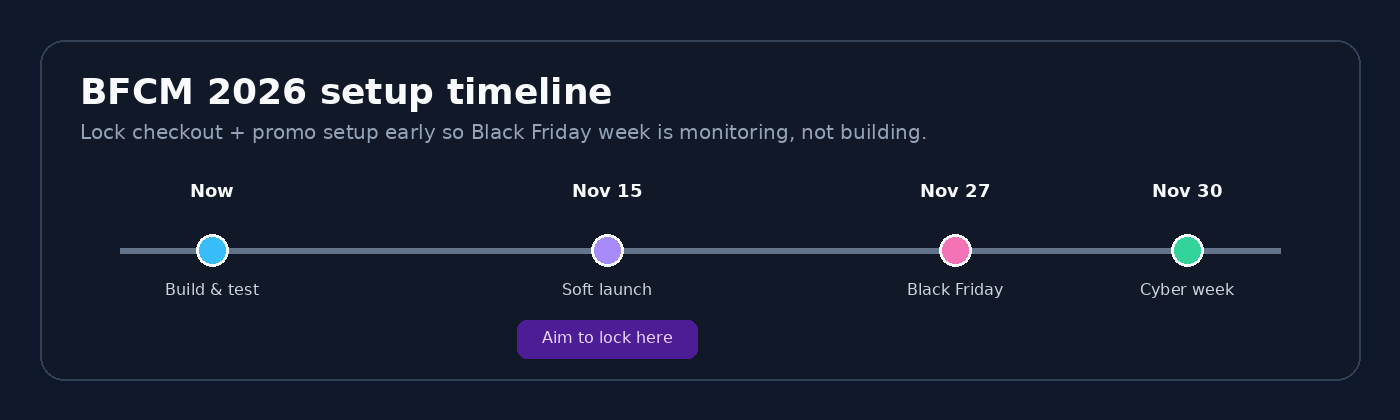
This checklist is for merchants planning BFCM with Discount Plus and/or Checkout Plus (or already using them). Work top to bottom, mark things done as you go, and soft-launch early.
1. Discounts, GWP, and BOGO
Lock the promo math first. Checkout UX is easier when the offer rules are already clear. If you use Discount Plus for this layer:
- Write one hero offer in plain English (example: spend $75, get a free gift, or buy 2 get 1)
- Confirm your Discount Plus plan covers what you need
- Lock BFCM offer start and end dates covering the full week
- Create or review your GWP, BOGO, volume, or bundle rule
- Set usage limits if gift stock is capped
- Decide stacking on purpose: BOGO + sitewide code, GWP + free shipping, GWP + BOGO (yes or no, written down)
- Prep gift SKUs (enough inventory, optional Unlisted status so they stay off collections but still work in promos)
- Mirror the rule in cart or PDP messaging so shoppers know the threshold before checkout
Watch out: Pick one owner for automatic gift-with-purchase. If Discount Plus and Checkout Plus Advanced both auto-add the same gift, shoppers can get doubles and support gets messy.
Common miss: two automatic discounts fighting each other, or a free gift still listed as Active in collections.
2. Checkout trust, banners, and upsells
Once the discount engine is set, make checkout feel trustworthy and on-brand. If you use Checkout Plus:
- Confirm you are on the plan that matches your BFCM needs
- Add trust first: badges, payment icons, short benefits list, reviews or testimonials if you have them
- Add one clear BFCM banner or countdown with a real deadline (shipping cutoff or sale end, not a fake timer)
- Configure one primary checkout upsell that complements the cart (not the same as your BOGO get item)
- Optional: free-shipping progress or shipping protection if that fits your offer
- Keep the layout simple on mobile (most BFCM traffic is)
Watch out: Use a real deadline on any countdown or banner (shipping cutoff or sale end). Fake timers burn trust faster than they convert.
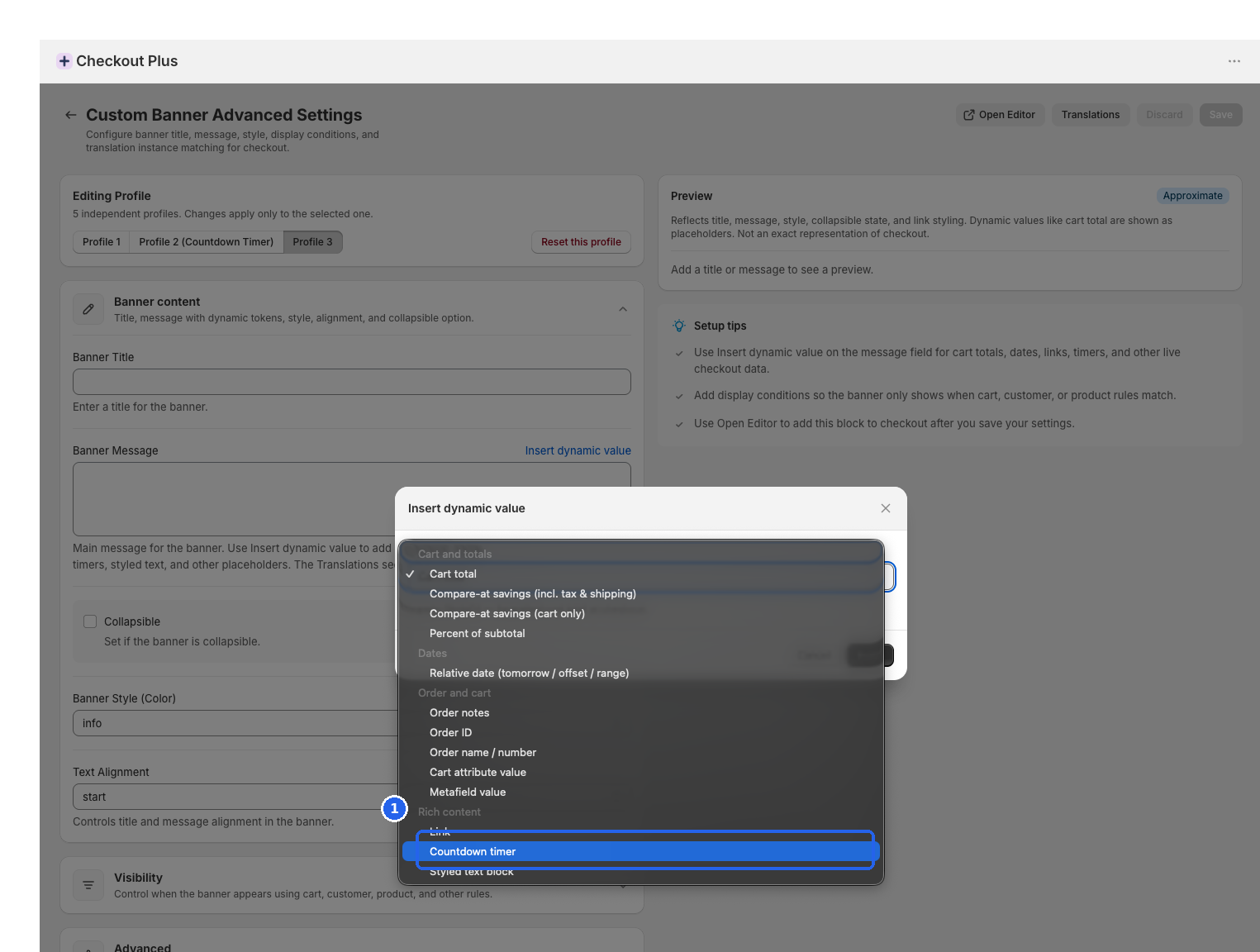
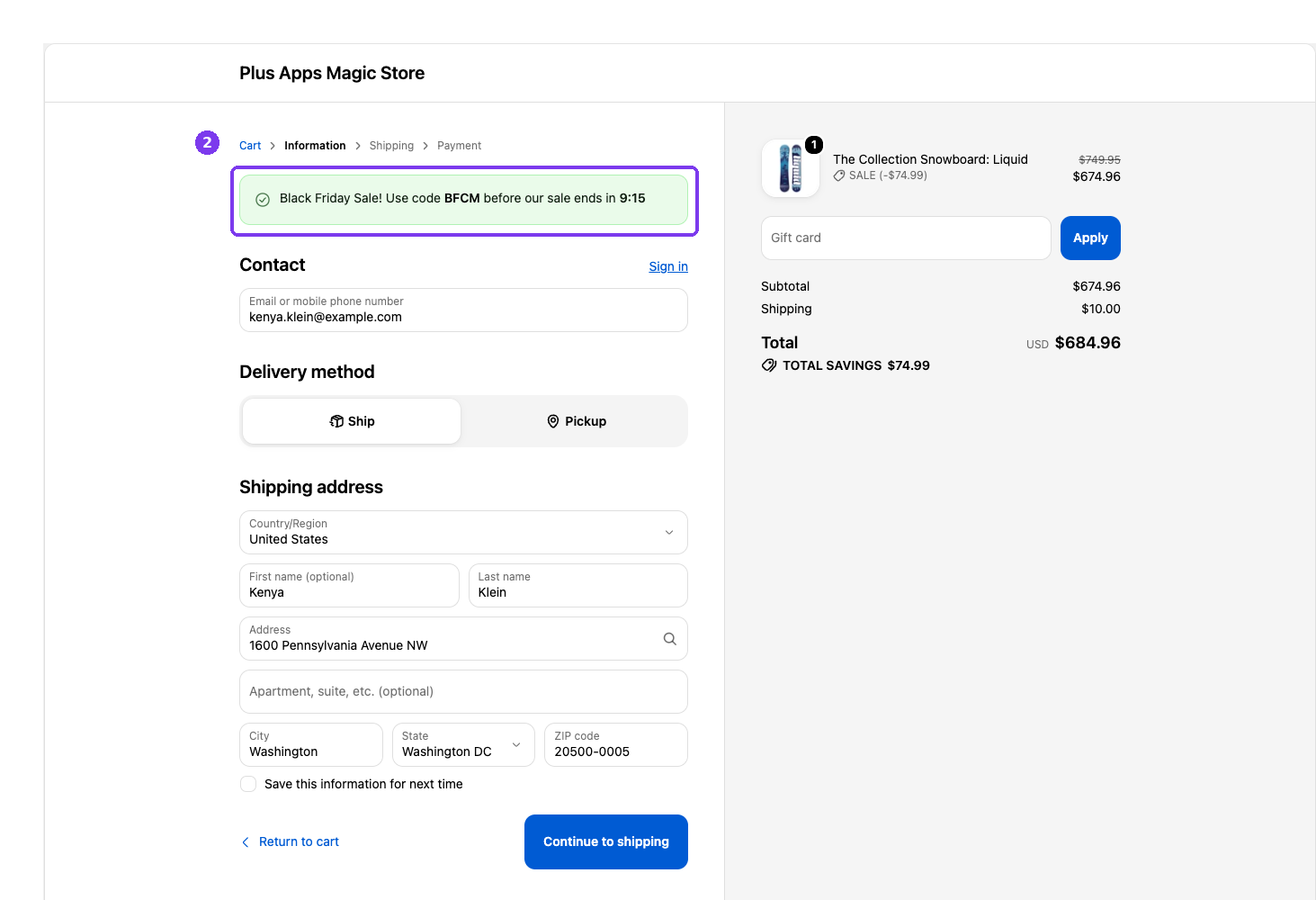
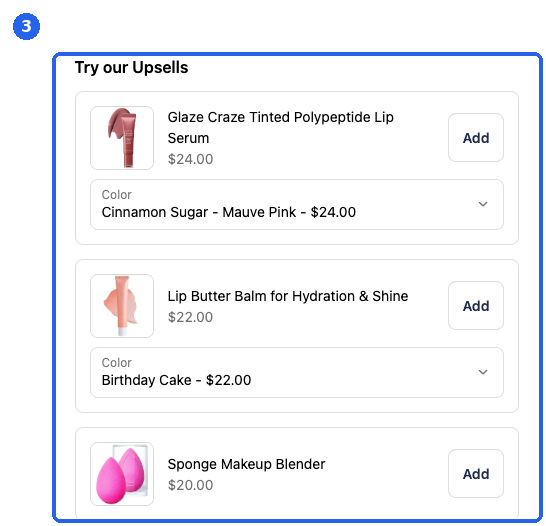
Trust before upsells. One strong add-on beats a wall of offers when carts are already full.
3. Thank you and order status
If checkout already feels crowded with BFCM messaging, put the second ask after payment.
- If you use Checkout Plus, enable a thank you or order status offer (available from Basic on all Shopify plans)
- Keep post-purchase complementary (warranty, travel size, related accessory), not a second BOGO story
- Confirm the offer does not double-fire with any auto gift you already run in checkout
4. QA before you soft-launch
Do this on staging or with staff orders. Take screenshots so support has a reference.
- Mobile and desktop checkout paths
- Below, at, and above GWP or BOGO thresholds
- Cart with and without a discount code
- Multi-currency or Markets behavior if you sell internationally
- Gift inventory and where-is-my-free-gift copy
- Banner copy matches the live discount rule
- Performance: no unnecessary third-party widgets piled on checkout
- Kill switch: you know how to pause each discount and swap the upsell SKU
QA pass / fail
Check: Mobile layout
Pass: Banner, trust, and one upsell readable without horizontal scroll
Fail: Stacked blocks overlapping, tiny tap targets, or cut-off copy
Check: Stacking rules
Pass: Cart with code + automatic discount behaves as you documented
Fail: Unexpected free stack into negative margin or best-deal fights
Check: Gift stock
Pass: GWP adds once at threshold; inventory reserved for peak
Fail: Missing gift, double gift, or gift still browsable in collections
Check: Multi-currency
Pass: Thresholds and discounts make sense in Markets currencies you sell
Fail: Gift unlocks at wrong amount or discount math looks off abroad
Check: Banner matches offer
Pass: Checkout banner text matches the live Discount Plus rule
Fail: Banner says 30% off while the rule is BOGO only (or wrong dates)
Check: Kill switch known
Pass: You can pause each discount and swap the upsell SKU in under a minute
Fail: Nobody knows where to turn it off mid-weekend
5. Soft launch, then monitor
- Go live on a subset of SKUs or with limited paid traffic before Nov 15
- Watch gift attach rate, AOV, conversion, and support tickets for a few days
- Tweak one thing at a time (usually the upsell product or threshold, not ten settings)
- Scale ads into BFCM week once the path is stable
- War-room list for Nov 27: pause switches, gift stock counts, shipping cutoff banner, upsell swap
Optional proof point if you want a confidence boost: brands like NOBL Travel have publicly shared lifts after a checkout refresh (upsells, GWP, testimonials, urgency) with +24% revenue and +17% orders. Your numbers will differ. The checklist still applies.
How the pieces fit
- Discount rules handle the promo math (BOGO, GWP, volume, bundles, stacking)
- Checkout customization handles the moment (trust, banners, upsells, thank you / order status)
When both are clear before Nov 15, BFCM week is mostly about traffic and inventory, not last-minute rule fixes.
Before you go
Build on staging where you can. Ship before Nov 15. Spend BFCM week selling, not debugging.
Details: Discount Plus, Checkout Plus, or tryplusapps.com.

