Changelog
Click the uses count on a discount to see which orders used it, then export the list. Handy for seeing what your BFCM promos drove.
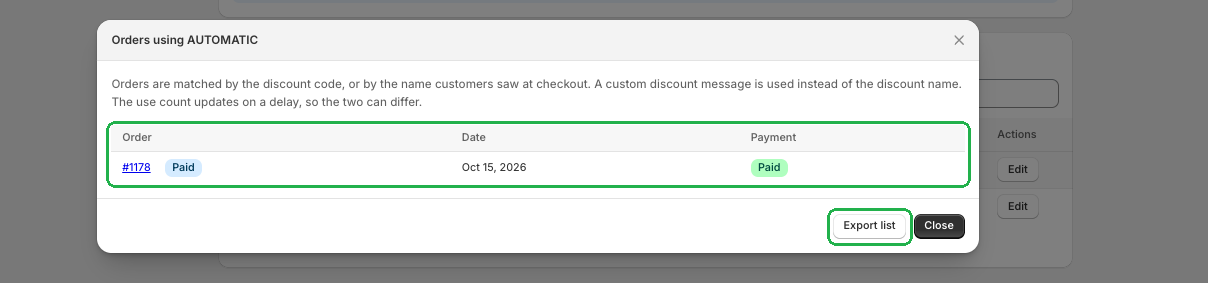
Ever wondered which orders a discount actually brought in? Now you can find out in one click. Just click the uses count on a discount in Discount Plus, and you'll see a list of the orders that used it.
Each order shows its Order number, Date and Payment status. Click an order number to jump straight to that order. Need the list somewhere else? Hit Export list to take it with you.
One heads up: the uses count updates on a short delay, so it might not match the order list exactly right away.
Want to know what your promos are really doing? Try Discount Plus free!
Create a custom checkout and show the right message at the right time.
Open Checkout PlusBe the first to know about new features, improvements, and more.
Thanks, you're on the list.
Powerful Shopify apps built to help merchants sell more.



