Changelog
Bulk export your discounts with their name, message, code, uses and date created. Handy for BFCM reporting and sharing code lists.
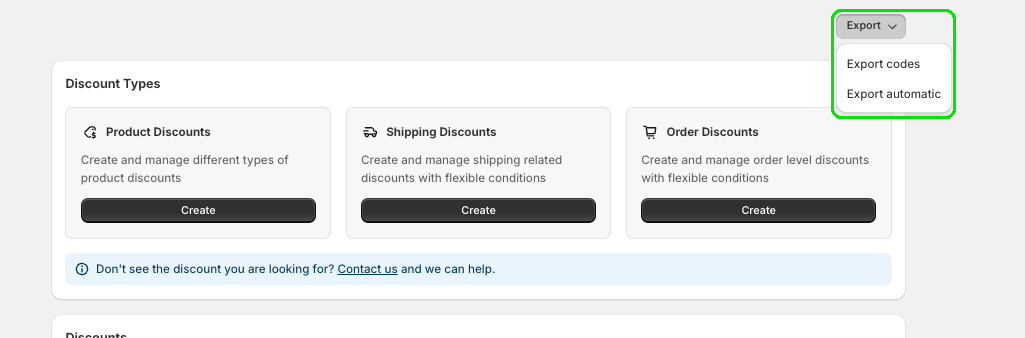
Need all your discounts in one place? Now you can bulk export them right from the Discount Plus home page, no copying them out one at a time.
Click Export at the top right, then choose Export codes for your code discounts or Export automatic for your automatic discounts.
Your export includes each discount's name, message, code, uses and date created.
Want an easier way to keep tabs on your promos? Try Discount Plus free!
Create a custom checkout and show the right message at the right time.
Open Checkout PlusBe the first to know about new features, improvements, and more.
Thanks, you're on the list.
Powerful Shopify apps built to help merchants sell more.



