Changelog
Custom Banner can open every banner link in a new tab, so buyers stay in checkout when they tap a policy, size guide, or other link.
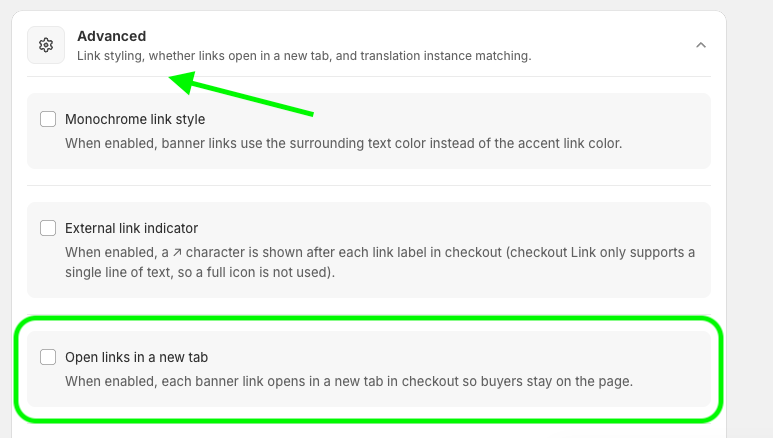
Custom Banner in Checkout Plus can now open every banner link in a new tab.
Turn on Open links in a new tab in the Advanced section of your Custom Banner settings. When a buyer taps a link in the banner (like a shipping policy or size guide), it opens in a new tab so they stay in checkout.
Find it under Apps > Checkout Plus > Customize your Checkout > Custom Banner Message > Manage, then open Advanced and enable Open links in a new tab.
This update is available now in Checkout Plus. Open your Custom Banner settings, flip on Open links in a new tab, and keep shoppers on the page.
Create a custom checkout and show the right message at the right time.
Open Checkout PlusBe the first to know about new features, improvements, and more.
Thanks, you're on the list.
Powerful Shopify apps built to help merchants sell more.



