Changelog
Custom Checkbox can now show based on the delivery type a shopper selects, like in-store pickup.
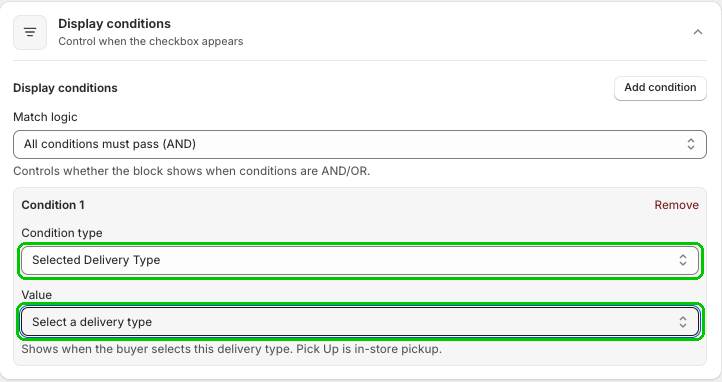
Custom Checkbox can now show based on the delivery type a shopper picks at checkout.
In your checkbox's Display conditions, click Add condition, set Condition type to Selected Delivery Type, then pick a delivery type under Value. The checkbox only shows when the buyer selects that delivery type, and Pick Up means in-store pickup.
So you can show a pickup consent checkbox only to shoppers picking up in store, or keep a "leave it at my door" checkbox for shipped orders only. Got more than one condition? Use Match logic to decide how they work together, like All conditions must pass (AND).
This update is available now in Checkout Plus. Open your Custom Checkbox, add a Selected Delivery Type condition, and show the right checkbox for every order.
Create a custom checkout and show the right message at the right time.
Open Checkout PlusBe the first to know about new features, improvements, and more.
Thanks, you're on the list.
Powerful Shopify apps built to help merchants sell more.



