

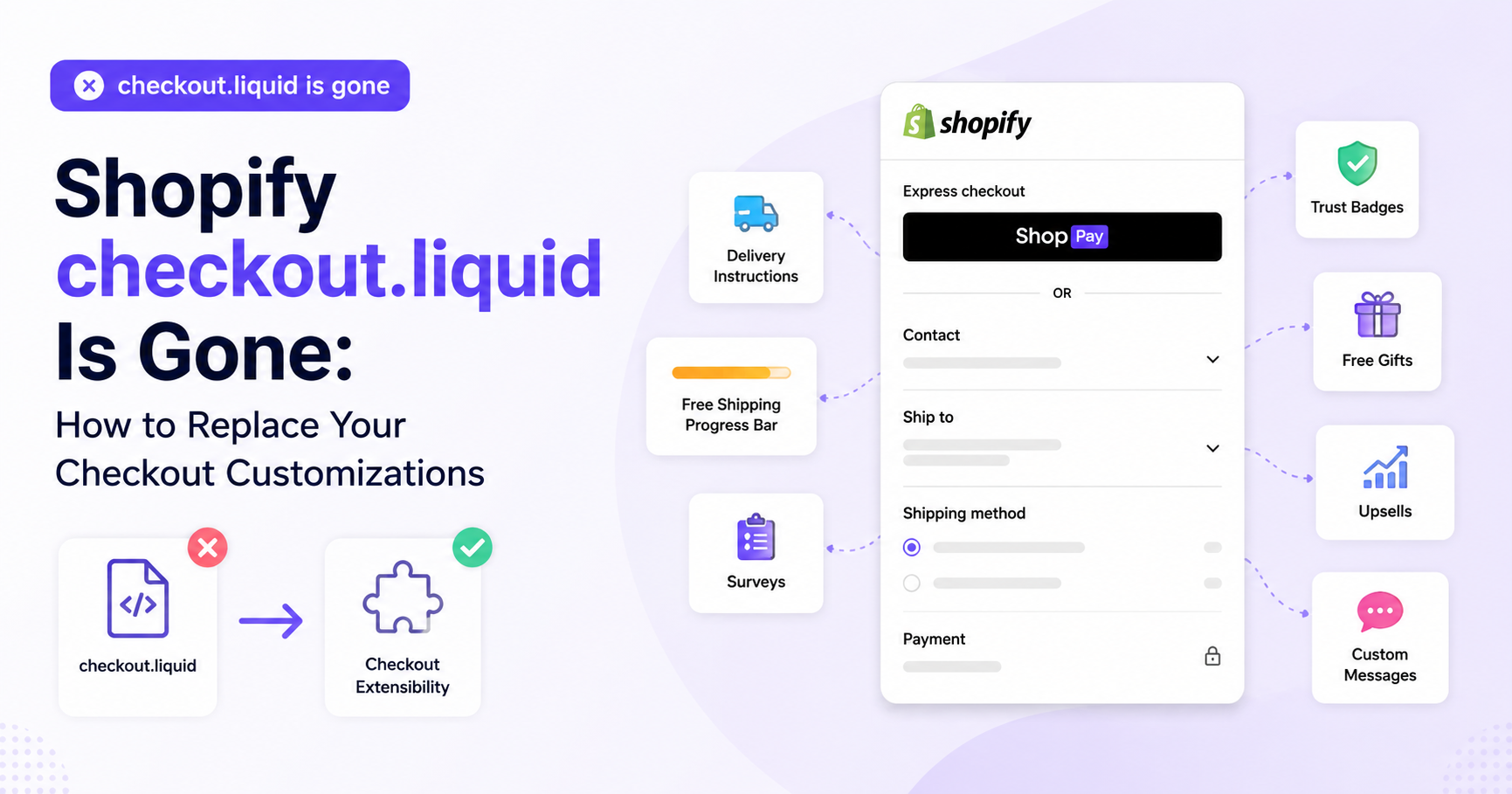
For years, Shopify Plus merchants relied on checkout.liquid to customize their checkout experience.
Whether it was adding custom messages, trust badges, additional fields, upsells, delivery instructions, custom validation, or other functionality, editing checkout.liquid gave developers significant control over the checkout experience.
That era has officially come to an end.
Shopify has sunset checkout.liquid and moved checkout customization to its newer Checkout Extensibility framework.
If your store previously relied on checkout.liquid, you may be wondering:
How do I replace my old checkout.liquid customizations?
The good news is that many of the most common checkout.liquid customizations can now be recreated using Shopify’s Checkout Extensibility framework and apps like Checkout Plus
What happened to Shopify checkout.liquid?
checkout.liquid was a Shopify Plus theme file that allowed merchants and developers to modify the code used to render Shopify Checkout.
Unlike a standard Shopify theme, however, checkout is a critical part of Shopify’s platform. Custom code inside checkout.liquid could depend heavily on Shopify’s checkout structure and require maintenance as Shopify released updates.
Shopify began replacing this system with Checkout Extensibility, its app- and extension-based framework for customizing checkout.
The transition happened in stages:
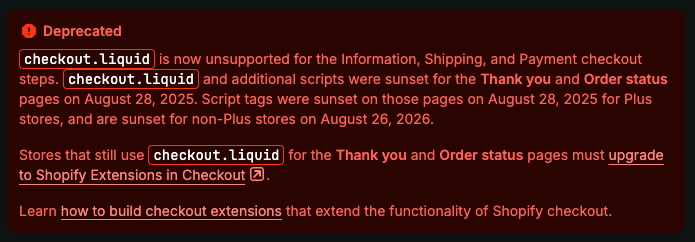
- August 13, 2024:
checkout.liquidcustomizations stopped working on the Information, Shipping, and Payment pages. - August 28, 2025:
checkout.liquidwas sunset for the Thank You and Order Status pages. - January 2026 and beyond: Shopify began automated cleanups and forced upgrades for remaining legacy configurations.
This means merchants can no longer rely on editing checkout.liquid to customize Shopify Checkout.
Instead, Shopify checkout customizations now use technologies such as Checkout UI Extensions, Shopify Functions, Web Pixels, and checkout apps.
Why did Shopify replace checkout.liquid?
The biggest difference between the old and new systems is how customizations interact with Shopify Checkout.
With checkout.liquid, developers could directly modify the checkout theme file. This provided flexibility, but it also meant customizations could depend on Shopify’s underlying checkout structure.
Shopify’s documentation previously warned that DOM-dependent checkout.liquid customizations could break as checkout was updated.
Checkout Extensibility takes a different approach.
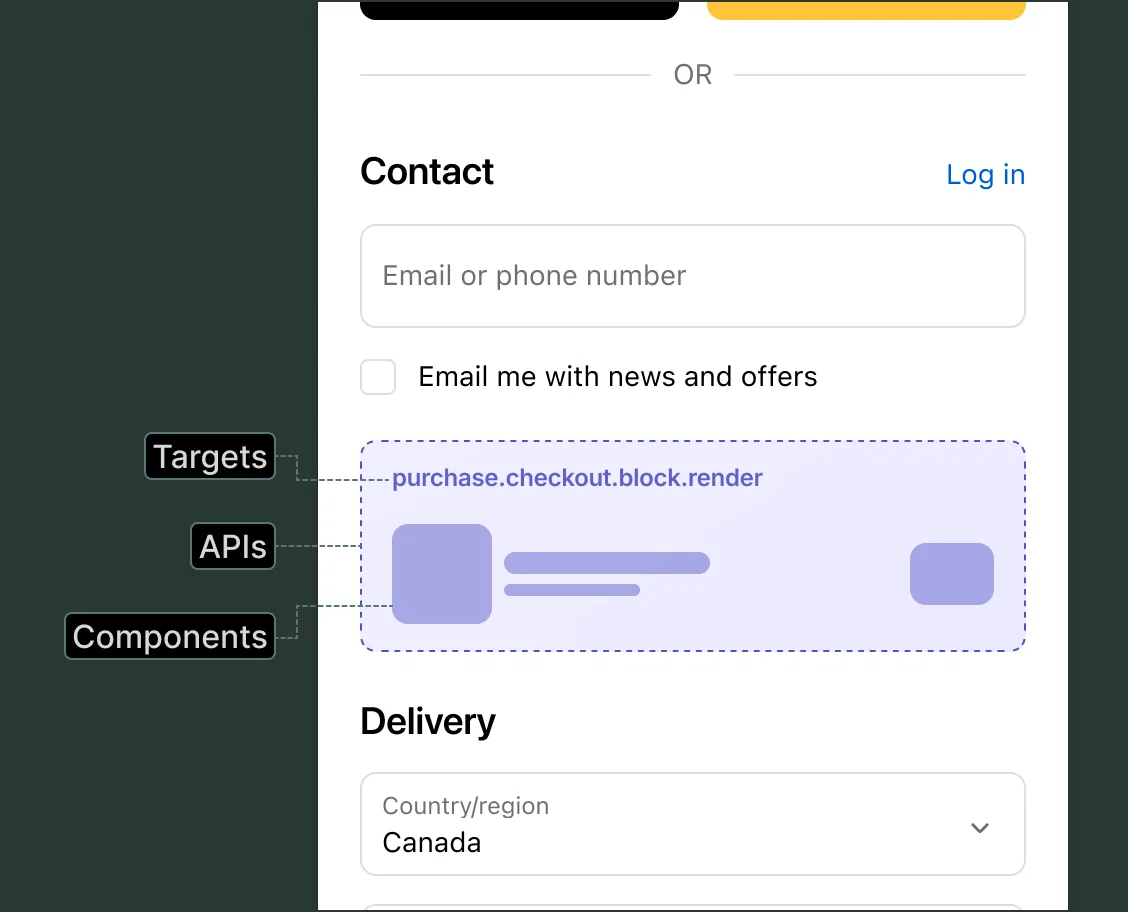
Instead of directly modifying Shopify’s checkout code, merchants use approved extension points and apps to add functionality to checkout.
This makes checkout customizations more compatible with future Shopify updates and features such as Shop Pay and Shopify’s one-page checkout.
For merchants, it also means many checkout customizations no longer require maintaining custom Liquid, JavaScript, or CSS.
What replaces checkout.liquid?
There isn’t one direct replacement for checkout.liquid.
Instead, Shopify has broken checkout customization into several technologies.
Checkout UI Extensions
Checkout UI Extensions allow apps to add content and functionality to supported locations throughout Shopify Checkout.
These extensions can be used for things like:
- Custom messages
- Banners
- Additional fields
- Product recommendations
- Upsells
- Surveys
- Delivery instructions
- Gift messages
- Trust-building content
For the Information, Shipping, and Payment steps, Checkout UI Extensions are available to Shopify Plus merchants.
Shopify Functions
Shopify Functions handle backend checkout logic.
They can be used for functionality involving discounts, shipping methods, payment methods, cart and checkout validation, and other business rules.
Web Pixels
Tracking that previously depended on scripts can often be migrated to Shopify’s Web Pixels framework.
Checkout Apps
For many merchants, the easiest replacement for an old checkout.liquid customization is simply installing an app that has already built the required functionality using Shopify’s new extension framework.
This is where Checkout Plus can help.
Replace checkout.liquid Customizations With Checkout Plus
If you previously used checkout.liquid to add functionality to your Shopify checkout, you don’t necessarily need to build a custom Checkout UI Extension from scratch.
Checkout Plus is built for Shopify’s Checkout Extensibility framework and allows merchants to add and manage checkout customizations without maintaining their own checkout.liquid code.
Depending on the customization you’re replacing, you can recreate many common checkout experiences directly through Checkout Plus.
1. Replace Custom Checkout Messages and Banners
A common use of checkout.liquid was displaying important information to customers during checkout.
For example:
“Orders placed after 2 PM will ship the following business day.”
Or:
“Please allow 5–7 business days for custom orders.”
Instead of inserting this content through checkout.liquid, Checkout Plus lets you add custom messaging and banners directly to your checkout.
This can be useful for:
- Shipping notices
- Processing-time information
- Return-policy reminders
- Product warnings
- Holiday announcements
- Important checkout instructions
- Promotional messages
You can communicate important information without modifying Shopify’s checkout code.
2. Replace Custom Checkout Fields
Another popular checkout.liquid customization was collecting additional information from customers.
Checkout Plus allows you to collect information during checkout through features such as:
- Gift messages
- Delivery instructions
- Customer notes
- Surveys
- Additional checkout information
Instead of building and maintaining a custom input inside checkout.liquid, the information can be collected through Checkout Extensibility.
3. Add Trust Badges and Social Proof
Merchants frequently customized checkout.liquid to make checkout feel more trustworthy.
Checkout Plus allows you to add trust-building content such as:
- Trust badges
- Payment icons
- Reviews
- Ratings
- User-generated content
- Custom reassurance messaging
Checkout Plus also integrates with review platforms including Judge.me, Okendo, and Yotpo.
This lets merchants bring social proof closer to the final purchase decision without modifying the underlying checkout theme.
4. Add Checkout Upsells
Custom checkout code was also commonly used to introduce additional products before an order was completed.
Checkout Plus lets you create checkout upsells using Shopify’s current checkout framework.
You can recommend relevant products and allow customers to add them to their order directly from checkout.
For example, a merchant selling shoes might recommend socks or shoe-care products.
A skincare brand could recommend a complementary cleanser or moisturizer.
An electronics store could offer an accessory for the product already in the customer’s cart.
This gives merchants another opportunity to increase average order value without relying on custom checkout.liquid code.
5. Create a Free Shipping Progress Bar
Checkout Plus can also display a Free Shipping Progress Bar that shows customers how close they are to reaching a free-shipping threshold.
For example:
You’re $18 away from FREE SHIPPING!
Once the threshold is reached, the messaging can update to let the customer know they’ve qualified.
This type of customization can encourage customers to add another item to their cart while giving them a clear incentive to increase their order value.
6. Offer Free Gifts
Merchants can also use Checkout Plus to create free-gift experiences.
For example:
Spend $100 and receive a free gift.
This can replace custom implementations that previously required developers to write and maintain checkout code.
Free gifts can be particularly useful for increasing average order value or supporting seasonal promotions.
7. Customize Shipping and Payment Methods
Not every old checkout.liquid customization was visual.
Some merchants used custom checkout logic to influence how customers interacted with shipping and payment options.
Checkout Plus provides tools for customizing shipping and payment methods using conditions and rules.
Depending on your use case, you can customize the checkout experience based on the customer’s order rather than maintaining custom checkout scripts.
8. Add Checkout Validation and Order Rules
Checkout Plus can also help enforce requirements before an order is completed.
For example, merchants may need to:
- Restrict certain orders
- Prevent shipping to specific locations
- Set order requirements
- Validate checkout conditions
Instead of relying on custom JavaScript injected into checkout.liquid, these types of rules can be implemented using Shopify’s modern checkout architecture.
9. Customize the Thank You and Order Status Pages
The removal of checkout.liquid doesn’t only affect the checkout itself.
Shopify also sunset checkout.liquid and Additional Scripts on the Thank You and Order Status pages.
Checkout Plus supports customizations for these post-purchase experiences as well.
Merchants can continue communicating with customers after an order is placed without relying on the old checkout theme architecture.
checkout.liquid vs. Checkout Extensibility
The biggest change is that merchants are no longer modifying Shopify Checkout itself.
With the old approach:
Shopify Checkout → checkout.liquid → Custom Code
With Checkout Extensibility:
Shopify Checkout → Extensions & Apps → Customizations
The second approach keeps Shopify responsible for the underlying checkout while apps and extensions provide the additional functionality merchants need.
That means Shopify can continue improving checkout without merchants maintaining an increasingly outdated customized version of the checkout theme.
Do I Need a Developer to Replace checkout.liquid?
Not necessarily.
The first step is identifying exactly what your old checkout.liquid code was doing.
Shopify provides a report in the Shopify Admin that can help identify existing checkout customizations and determine how they should be migrated.
From there, each customization generally falls into one of three categories:
Native Shopify functionality
The customization may now be available directly through Shopify.
Checkout app
An app such as Checkout Plus may already provide the functionality using Checkout Extensibility.
Custom extension
Highly specialized functionality may still require a developer to build a custom Checkout UI Extension or Shopify Function.
Before paying to rebuild an old checkout.liquid customization from scratch, it’s worth checking whether an existing checkout app already provides the functionality.
Is Checkout Plus a checkout.liquid Alternative?
For many common checkout customizations, yes.
Checkout Plus isn’t a replacement for the checkout.liquid file itself. Instead, it provides many of the checkout customization capabilities merchants previously used checkout.liquid to create, rebuilt using Shopify’s current Checkout Extensibility framework.
Checkout Plus can help merchants add features such as:
- Checkout upsells
- Free gifts
- Free shipping progress bars
- Trust badges
- Payment icons
- Reviews and social proof
- Custom messages
- Gift messages
- Delivery instructions
- Surveys
- Checkout validation
- Shipping and payment customizations
- Thank You page customizations
- Order Status page customizations
Rather than maintaining custom checkout code, merchants can configure these experiences through an app designed for Shopify’s current checkout architecture.
Moving Beyond checkout.liquid
The retirement of checkout.liquid represents a major shift in how Shopify Checkout is customized.
Merchants have less direct access to Shopify’s checkout code, but Checkout Extensibility provides a more structured way to customize checkout through apps and extensions.
If your store previously relied on checkout.liquid, now is the time to review what those customizations actually accomplished.
You may find that you no longer need a custom developer-built solution at all.
Checkout Plus can help replace many of the most common checkout.liquid customizations using Shopify’s new Checkout Extensibility framework—without requiring you to maintain custom checkout code.
Install Checkout Plus from the Shopify App Store and start rebuilding your checkout experience for Shopify’s new checkout architecture.

