

How to Add Yotpo Reviews to the Shopify Checkout with Checkout Plus
Customer reviews are one of the most effective ways to build trust during checkout. When shoppers see real ratings and reviews before completing their purchase, they’re more confident in buying, which can help increase conversions and average order value.
With Checkout Plus, Shopify merchants can now display Yotpo Reviews directly in the Shopify Checkout using Shopify Checkout Extensibility.
Why Add Reviews to Checkout?
Most merchants only display reviews on product pages, but checkout is one of the most important moments in the customer journey.
Adding reviews to checkout can help:
- Increase customer trust
- Reduce checkout hesitation
- Improve checkout conversion rates
- Increase upsell conversions
- Reinforce purchase confidence
Yotpo is one of the leading Shopify review platforms, helping merchants collect and display customer reviews and ratings across their store experience.
Display Yotpo Reviews with Checkout Plus
Checkout Plus allows merchants to display Yotpo Reviews in multiple checkout blocks, including:
- Upsells
- Line Item Content
- Benefits & Reviews List
This allows you to add social proof throughout the checkout experience without custom development.
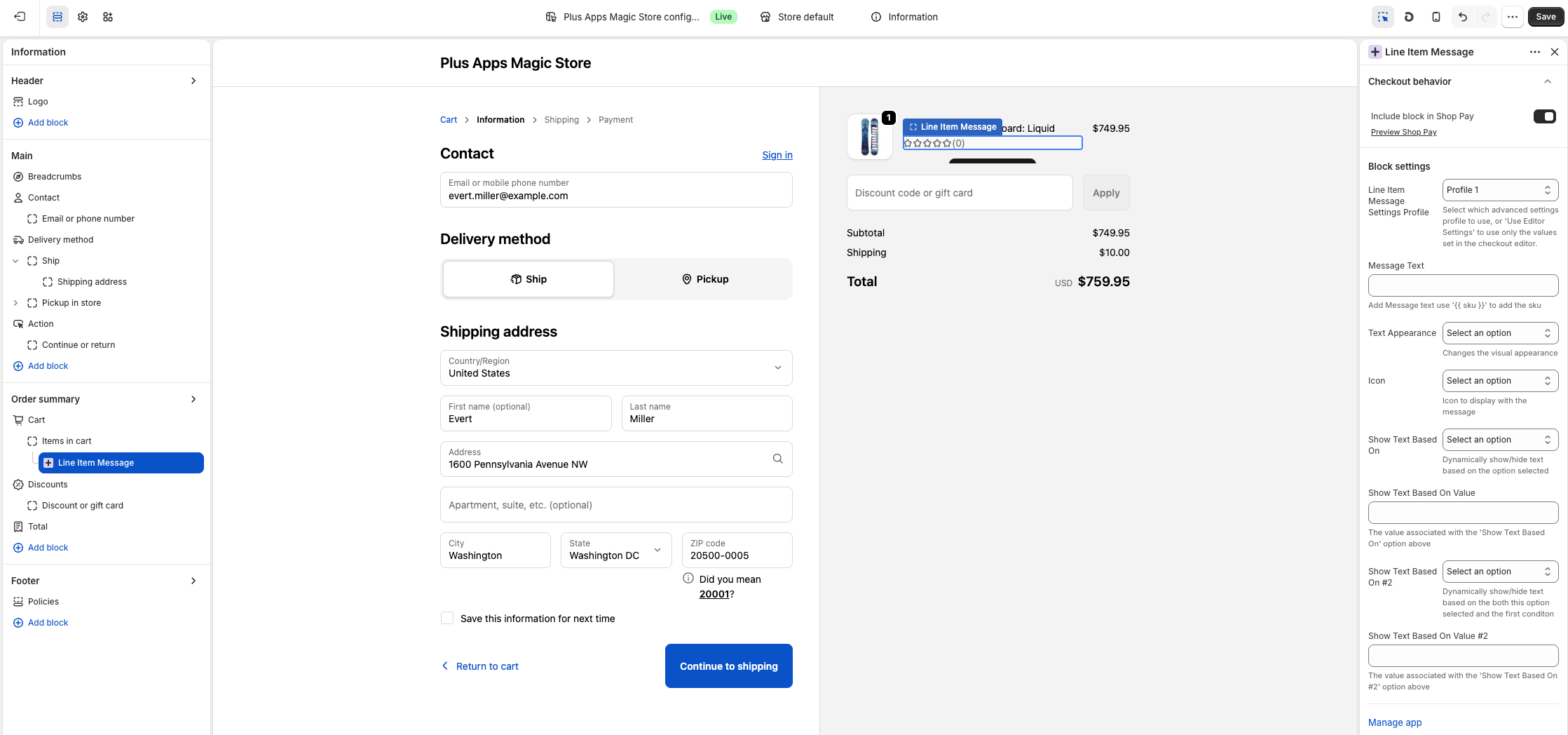
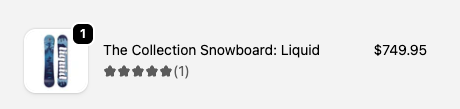
How to Add Yotpo Reviews to Shopify Checkout
Step 1: Connect Checkout Plus to Yotpo Reviews
First, install both:
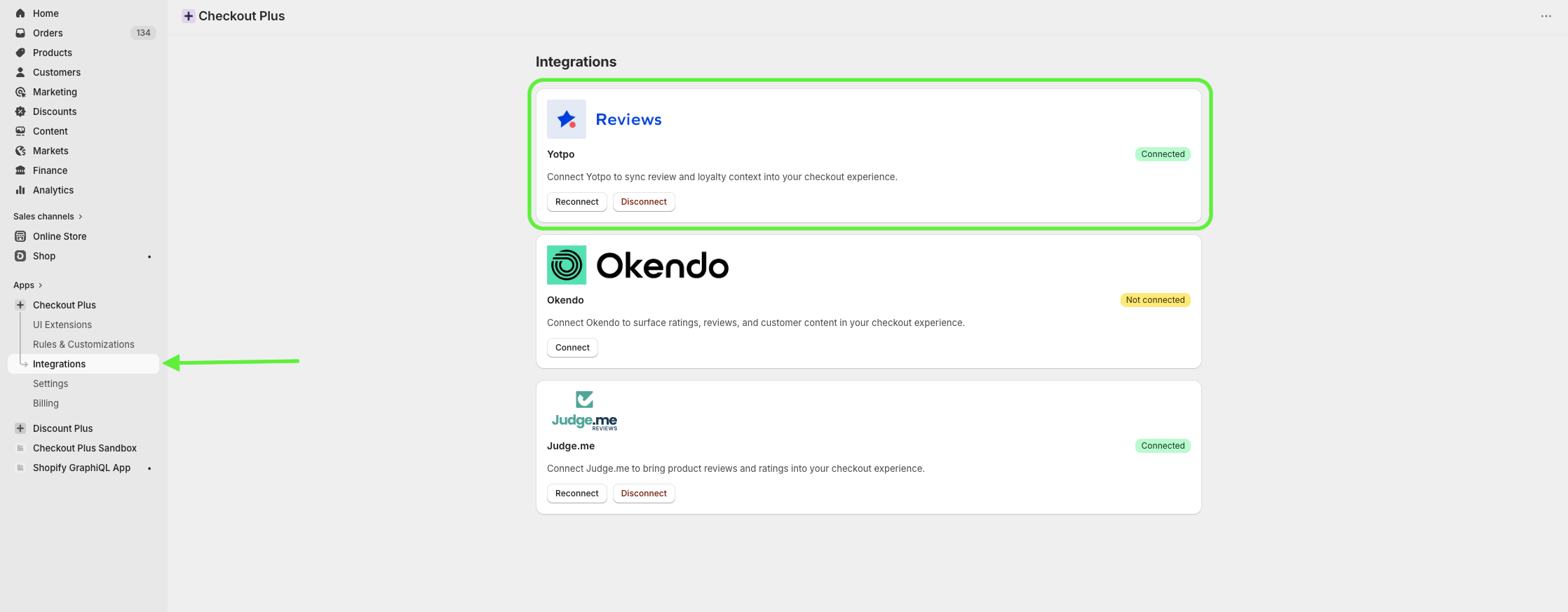
Inside Checkout Plus:
- Open the app settings
- Navigate to the Yotpo Reviews integration
- Connect your Yotpo account
Once connected, Checkout Plus will automatically pull in your product review data from Yotpo.
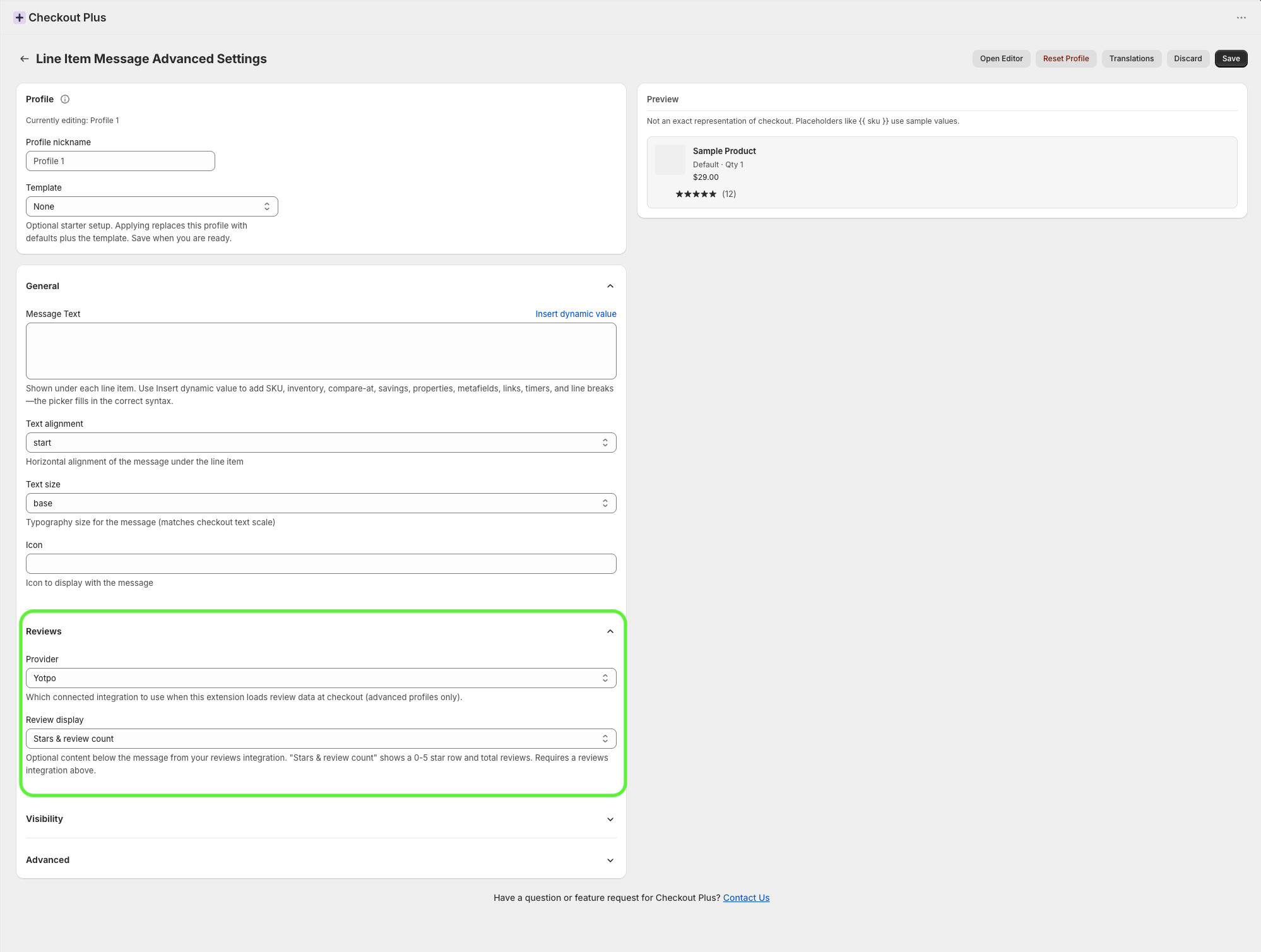
Step 2: Choose Which Checkout Plus Block to Enable Reviews On
Checkout Plus allows you to enable Yotpo Reviews on multiple checkout blocks depending on how you want reviews displayed.
Upsells
Display review stars and ratings directly beside checkout upsell products to increase upsell conversions.
Line Item Content
Show review ratings for products already in the cart to reinforce customer confidence before purchase.
Benefits & Reviews List
Add dedicated review and social proof sections directly within checkout to highlight customer satisfaction and trust.
This flexibility allows merchants to create a more conversion-focused checkout experience.
Step 3: Add the Checkout Plus Block to the Shopify Checkout
Inside Shopify:
- Go to Settings
- Select Checkout
- Open the Customize Checkout editor
Add your desired Checkout Plus block to the checkout and position it where you want reviews to appear.
Once added:
- Preview your checkout
- Confirm the reviews are displaying correctly
- Publish your changes
Best Practices for Checkout Reviews
Use Reviews Near Upsells
Reviews are especially effective when paired with recommended products or upsells.
Keep the Experience Clean
Focus on lightweight review content like star ratings and short snippets to avoid cluttering checkout.
Match Your Branding
Checkout Plus allows merchants to customize fonts, colors, and styling so reviews feel native to your checkout design.
Final Thoughts
Adding Yotpo Reviews to your Shopify Checkout is a simple but powerful way to improve trust during the final step of the buying journey.
With Checkout Plus, merchants can easily display Yotpo Reviews throughout checkout using Shopify Checkout Extensibility, helping increase conversions, improve upsell performance, and create a more trusted checkout experience.