
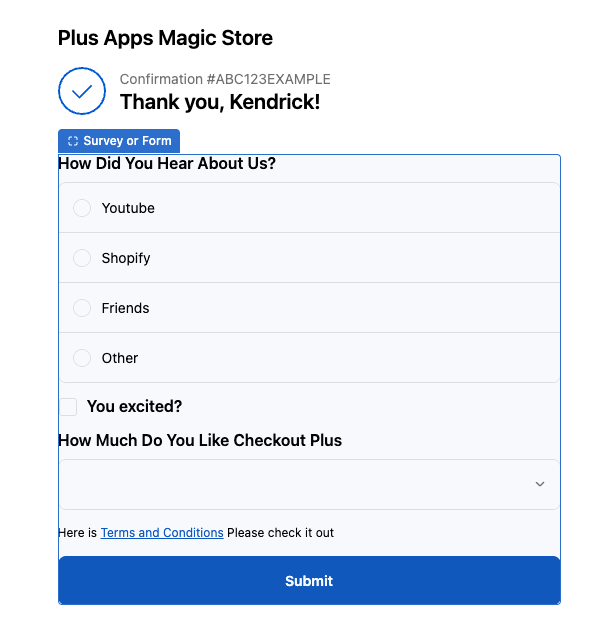
You can now place Surveys & Forms on the Thank You and Order Status pages, allowing you to engage customers post-purchase and gather valuable insights beyond the Shopify checkout experience.
New to Checkout Plus? Try it free now
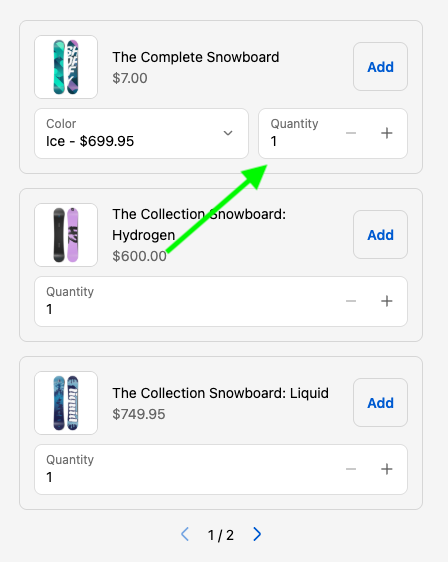
Quantity Selector
The newly added setting allows your Shopify store to offer the ability for customers at checkout to add multiples of the same product to the cart
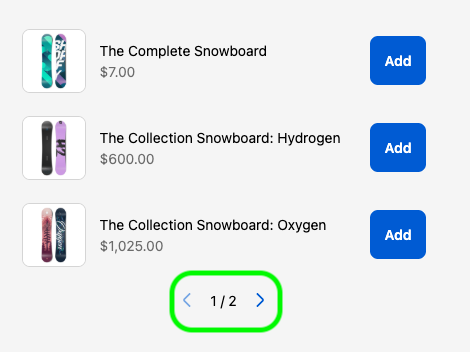
Pagination
Now, with pagination if you want to offer more upsells without taking up more room on your Shopify Checkout, you can by enabling the pagination setting for your Upsells!
New to Checkout Plus? Try it free now
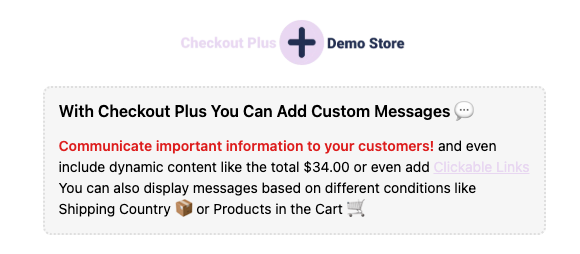
You can now easily select the new "Dashed" style under the "Banner Style" settings to access the new dashed border on the custom banner. This banner is available in the Shopify Editor for the Checkout, Thank you, and Order Status pages in the Checkout Plus app.
New to Checkout Plus? Try it free now
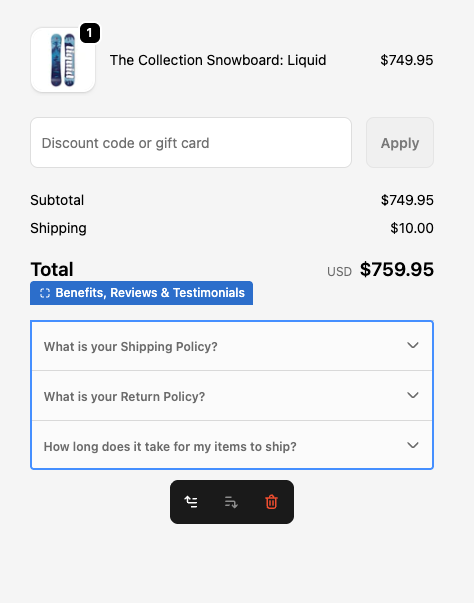
The Benefits List now includes an FAQ style layout option, allowing you to display key product or brand benefits in a clear, collapsible format. This layout helps reduce visual clutter on your Shopify Checkout while still giving customers quick access to important details, improving clarity, trust, and the overall checkout experience.
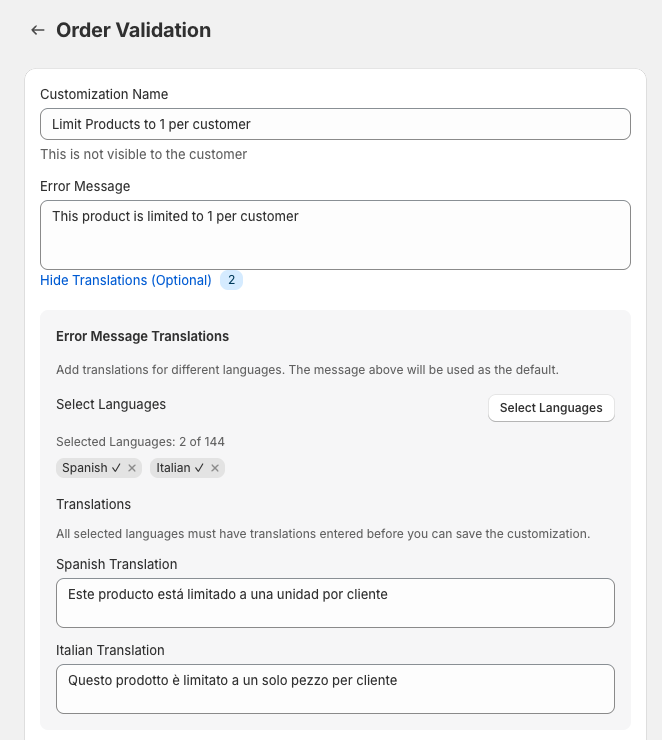
We’ve added translation support for Order Validation error messages, giving you more control over how checkout errors are displayed to customers. Error messages will now respect your store’s language settings, helping shoppers clearly understand what needs to be fixed before completing their order. This improvement is especially useful for international stores, multilingual checkouts, and merchants focused on creating a smoother, more localized checkout experience.
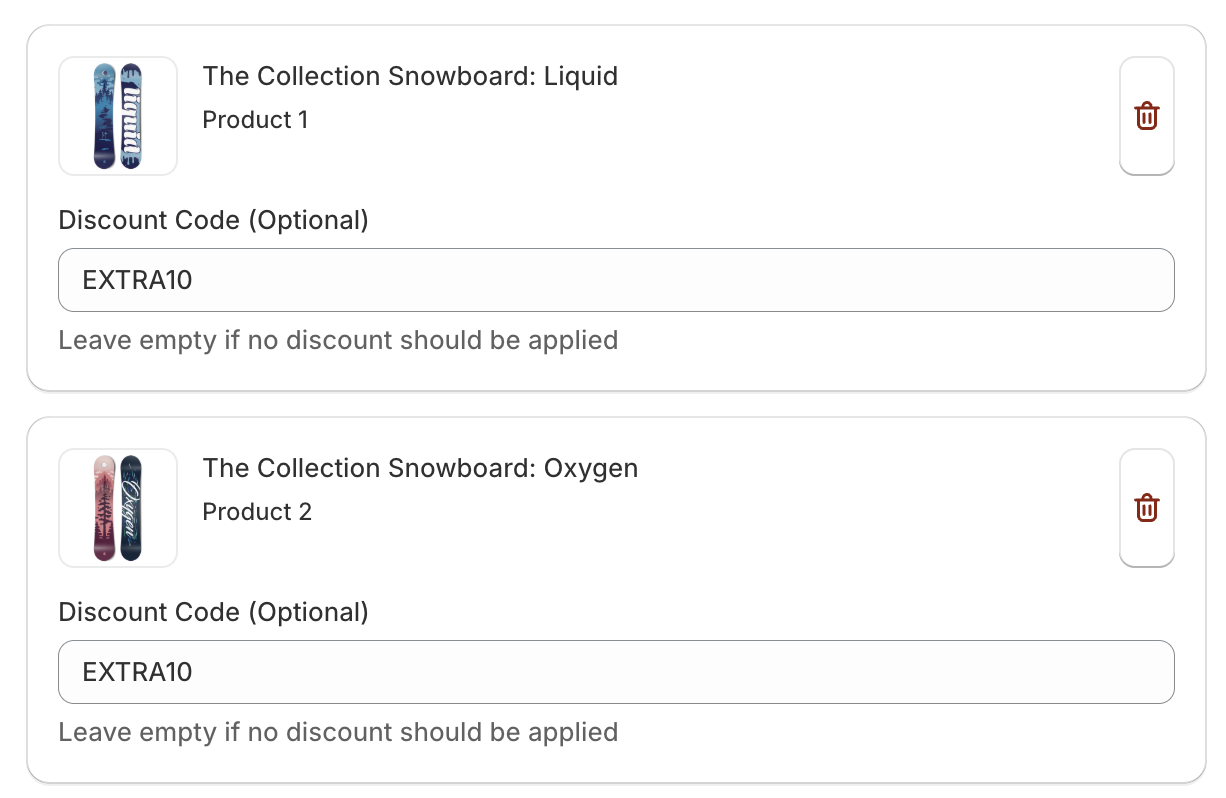
You can now apply a discount code to upsell products when they’re added to the cart—making it easier to offer special pricing and increase conversions.

New: Added a Date Picker form element to Surveys, allowing customers to easily select dates within your survey questions.

The Shipping and Payment Customizations now allow you to hide, rename, and reorder options based on the Cart Attribute on the Shopify Cart. This can be useful for example when you have a product in the cart that is a custom order your can hide your express shipping options because that custom order will take longer to Ship.
We hope you find this useful and please reach out to us if you have any questions on how to use this. Thank you!
The Order ID and Order Number can now be accessed for Post Purchase customizations. This is useful for needing this ID or number for placing this information into URL redirects or for attaching these IDs to any sort of tracking or display reasons. The order ID can be accessed by typing {{order.id}} and the order number can be accessed by typing {{order.name}}

Please let us know if you have any questions on how to use this and thank you!
Interesting in Checkout Plus? Try it here now for free for 7 days
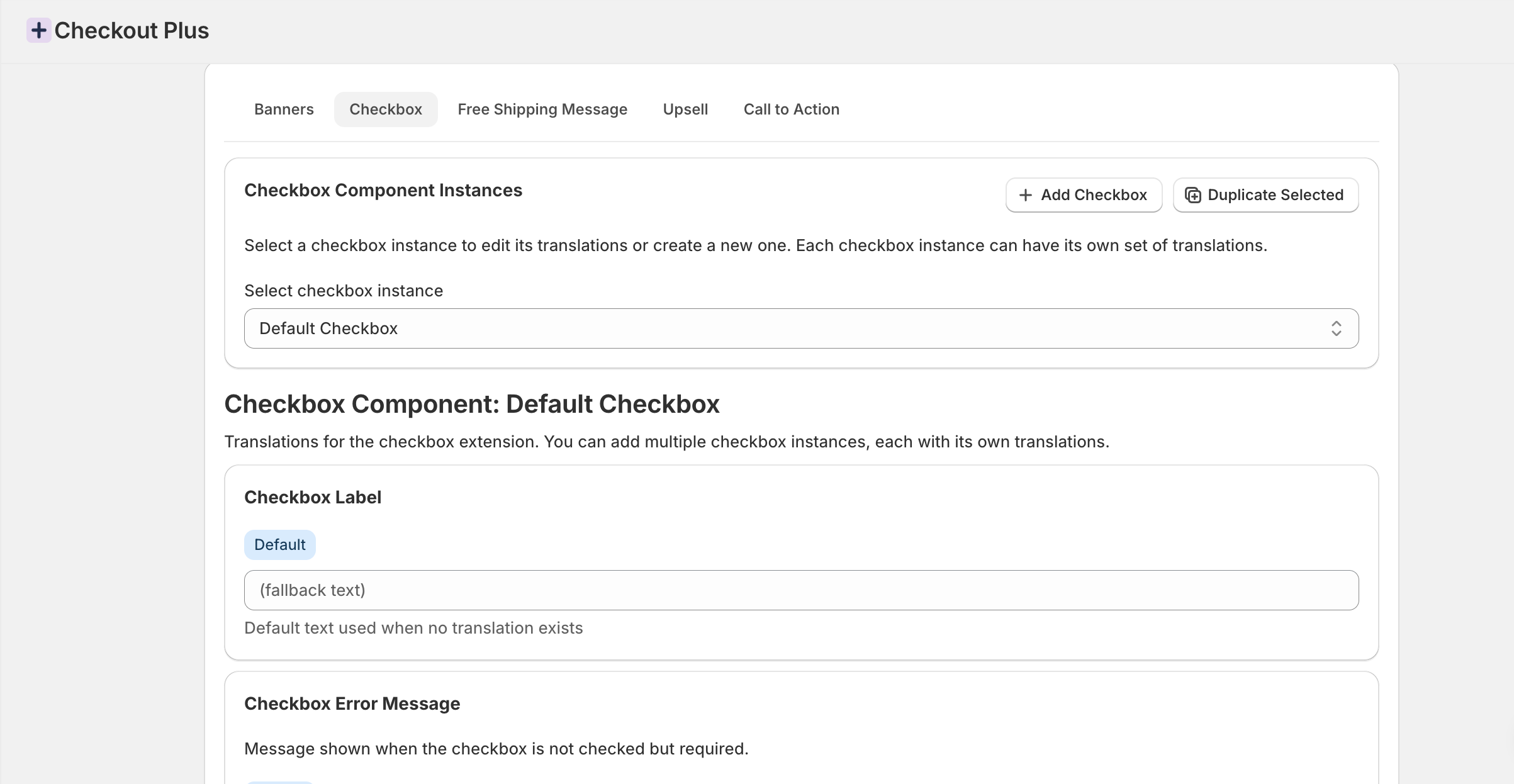
- Translations & Localization - The Checkbox UI extension now supports translating the text fields displayed to the customer at Shopify Checkout in different languages

- Shipping Customizations - Added a new condition to check for present product attributes for Shipping Customizations. This can be useful for when certain products with attributes can not be sent using a certain shipping option.
- Shipping Method Input - Added a new dropdown option to allow a prefixed list of options to select from on Shipping methods

- Checkout Reviews - You can now add custom reviews in a scrollable carousel to help build social trust with your customers to improve conversion rates on your Shopify Checkout

- Upsells - When there are multiple active upsells that meet the conditions configured in the Checkout Plus app the Upsells are now sorted based on the priority to display the more relevant upsells first
- Shipping Customizations - Product in cart condition. This allows the Shipping customizations for your Shopify Checkout to rename, hide or reorder based on the product in the customers cart. This is useful in some examples where very heavy products may not be available for all shipping options or products that have a longer fulfillment time do not have the option for express shipping, or at least you may want to display a message in the shipping method that the delivery time may be longer
- Thank You Page - You can now place Trust Badges, Line Item Messages, and Benefits Lists on your Shopify Thank You Page
- Custom Button - The custom button has been updated to allow placement on the Order Status Page
- Upsells
- The compare at price and now be conditionally displayed on upsells
- Upsell images are also conditionally clickable to go to the product page if the customer wants more information
- Custom Banner - The display condition for Product IDs now supports a comma seperatted list so you can add more than one product as a display condition

You can now use Checkout Plus to automatically block orders shipping to specific countries based on your chosen conditions in your Shopify Checkout— such as cart contents, customer tags, or total order value.
This new Order Validation rule lets you define when and where an order can be shipped, helping you stay compliant with regional shipping restrictions, reduce fraud, or limit delivery zones for certain products.
To get started, go to your Order Validations section in Checkout Plus and add a new rule:
- Choose “Shipping Country” as the validation condition
- Select one or more countries to restrict
- Add optional conditions (e.g., “only block if cart total < $50”)

Example use cases:
- Block orders to countries where you don’t ship certain items
- Prevent high-risk regions during BFCM
- Restrict low-value orders from international buyers

- Line Item Quantity & Variant Selector - The optional setting adds a Variant selector if other variants are present on your products in the Shopify Checkout. This can be useful for providing customers the ability to update their cart without needing to leave the checkout
- Custom Banner - The display condition for discount codes now supports a comma separated list i.e. Discount1,Discount2,Discount3
- Delivery Instructions - New supported location on Checkout. Can now be placed above the discount area on the Checkout
- Line Item Message - the display condition "Product Title" has been added to conditionally display the message based on the Product title

New Feature: Upsells Analytics in Checkout Plus
We’ve added Upsells Analytics to Checkout Plus.
You can now track and attribute which products are added to the cart through Upsells in your Shopify Checkout. This feature provides clear insights into Upsell performance and helps you understand which items are driving conversions.
The analytics capture key data, including:
- Products sold via the Upsells feature
- Revenue generated from Upsell conversions
With these insights, you can measure the impact of Upsells in Shopify Checkout, optimize your offers, and maximize your store’s average order value (AOV).
- Cart Links - Cart Links is a new feature introduced to offer merchants the ability to create premade Shopify carts as smart URL links that allow customers to click on the link and it automatically adds products to the cart and even applies discounts or customer information
- Line Item Message - The line item message now supports the 'Language' display condition. This allows the message on the line item to conditionally display based on the Checkout Language
- Order Validations - The Customer Tag has been added as a condition to limit Orders
- Delivery Instructions - A new Help Text setting has been added to provide help text when the instruction field is empty

- A new checkout app block has been created to support displaying images and QR codes