

How (and Why) to Launch a Native App for Your Shopify Store
Most Shopify merchants don't think they need a mobile app.
Why would you? Your mobile website works great. It’s responsive, fast, and it gets a ton of traffic. Shopify’s mobile checkout is the industry standard.
Pair with the perceived cost of launching a mobile app, and the conversation gets shelved.
But what most brands don’t understand is the tangible impact a mobile app can have on your revenue - and how accessible it is to launch your own mobile app today.
This guide breaks down why a native app is worth considering, who it makes sense for, and how to actually get one live without the traditional cost and complexity.
Why Your Shopify Store Should Have a Native App
It’s perhaps too far to say that all Shopify stores should have their own mobile app. But most should.
If you’ve reached a certain level of success with acquisition, the next big growth lever for your brand is turning more sporadic and one-time buyers into repeat customers.
And that’s where mobile apps excel. Here are the top reasons why launching your own app could be the best move you make.
Your Customers are Mobile-First
You probably already know this from your analytics. For most Shopify stores, 65-75% of traffic comes from mobile devices.
Why not meet your customers where they are?
You’re not asking for a massive change in browsing behavior. You’re not trying to shift people from buying on desktop to buying on their phones.
They’re already on their phones, they’re already shopping and buying online - and they’re already using apps.
When a customer installs your app, your brand occupies a permanent spot on their home screen. You're sitting next to Instagram, Amazon, and their banking app. That's not a small thing.
Apps Drive Repeat Purchases & LTV
A lot of brands don’t do a great job of driving repeat purchases - yet this is where the biggest upside is.
Apps are the best asset to get more repeat purchases. They reduce friction and make it significantly easier for people to come back to your store, browse, and buy.
MobiLoud’s Ecommerce Mobile App Benchmark Report shows that app users come back more often, spend 10-50% more in each order, convert up to 7x higher, and generate 3.5-7x more revenue on average.
Launching an app could give you a sizable increase in revenue - with no extra acquisition costs. That could completely change your unit economics.
Push Notifications Are Your Best-Performing Channel
Every brand is using email and SMS. And they work. But there’s one channel that few brands are using, which outperforms them both on a user-by-user basis.
Push notifications: the messages that pop up on your lock screen from a native app.
Push is like SMS - fast, highly visible, high-converting. Only without the cost (push notifications are free to send).
They deliver instantly, light up your customer’s phone when they’re not using it, and provide a constant reminder that your store is there, ready, open for business.
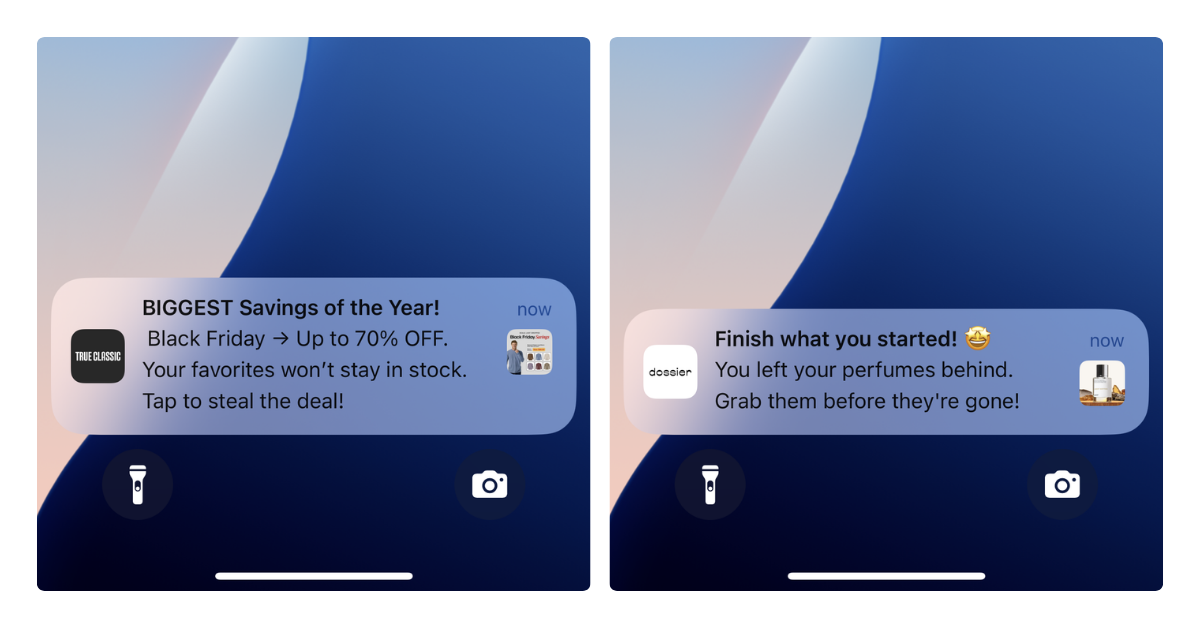
They’re the perfect channel for a lot of user cases: product drops, flash sales, back-in-stock alerts, loyalty rewards, and abandoned cart recovery.
And with the cost, the ROI potential is massive.
You Own the Channel
This is the strategic argument for why you need a mobile app.
Ecommerce is a turbulent game. Social media algorithms change. Ad costs rise. Email deliverability gets harder. SEO rankings shift.
A mobile app is an owned channel. You own it.
Once it's installed, you have a direct relationship with that customer that isn't mediated by a platform, an algorithm, or a cost-per-click bid.
The kind of stability you get with direct, owned channels like a mobile app cannot be undersold.
Who Should (and Shouldn't) Launch an App
So should every brand have a mobile app? Not quite.
Some brands would be better to focus solely on acquisition, up until a certain point. For some, the nature of their category means an app probably isn’t the best investment.
But for others, it will likely be the best investment you make for your brand in some time.
An app makes sense if:
- You have consistent, returning traffic. If customers come back to buy from you multiple times a year, an app gives them a better way to do that. Subscription brands, consumables, fashion, beauty, and food/beverage brands typically see the strongest results.
- You're doing at least $500K-$1M+ in annual revenue. You need enough of a customer base for the app to make an impact. Consider that only your top 10-20% of buyers will use the app. You need this segment to be big enough to justify it.
- Most of your traffic is on mobile. This is the case for most brands. But if your audience tips heavily towards desktop, there may not be so much demand for a mobile app.
- You’re already investing in retention. If retention is already a priority; you’re building email flows, loyalty programs, sending SMS, it makes perfect sense to add an app to your retention stack.
An app might not make so much sense if:
- You’re sub-$500K annual revenue. You may not have the customer base to get much of a return from your app - and your attention is better spent here getting new customers.
- You’re in a one-time purchase category. Some categories just don’t lend well to repeat purchases; for these brands, there may not be the demand for an app.
- Your mobile website is not yet optimized. The biggest mistake - thinking a mobile app will fix a poor mobile web experience. The majority of your mobile traffic will still land on your website. This is the priority to fix.

How to Build a Shopify Mobile App (Without Custom Development)
Here’s the biggest blocker most brands face for launching a mobile app. How are we going to build it?
The perception is you need a $100K+ budget, a team of developers, or an agency on retainer to build and manage your app.
Five, ten years ago? Sure. Today? Not so much.
There are too many affordable, no-code tools for Shopify brands today for that to be a problem.
These tools handle the hard parts; the parts you’d previously pay a dev team for. It means you can easily launch a decent mobile app, with all the features you expect, for less than $1K per month.
Considering the revenue potential, that’s a worthwhile investment. On average, brands with mobile apps see around 10-35% of their total revenue come through their apps. For a brand doing $5M annually, that’s around $40K-$145K in new monthly revenue.
You don’t need to be a math major to see that it makes sense.
The Best Shopify Mobile App Builders
You’ll find dozens of apps on the Shopify app store, as well as online, built to help you create a mobile app for your store.
They let you build an app for anywhere from $250-$1K+ per month, typically going live in less than 30 days.
You can do a Google search, click around and see which tools fit your store’s needs the best; but here are a few of the best Shopify mobile app builders to start your search with:
- MobiLoud: the best Shopify app builder if you want your website and app to be totally in sync. The app updates along with your site, and all your site’s features carry over to your app - PDPs, collections, checkout customizations, anything else you run on your website works seamlessly in your app.
- Tapcart: Most well-known app builder in the industry. Good tool for brands that want to go all-in on investing time and effort into their app, and building a custom experience for app users.
- Shopney: Mid-range option. Similar to Tapcart, has been around for a long time and well regarded in the industry. Affordable entry-level plan.
- Appmaker: A little more expensive than other Shopify app builders, but comes with greater ability for customization (including full developer access on their Enterprise plan).
- MageNative: One of the best budget options. Offers an entry-level plan for around $100 per month, higher plans aren’t much more than that. Good if you’re still not sure about spending $500-$1K per month on your app.
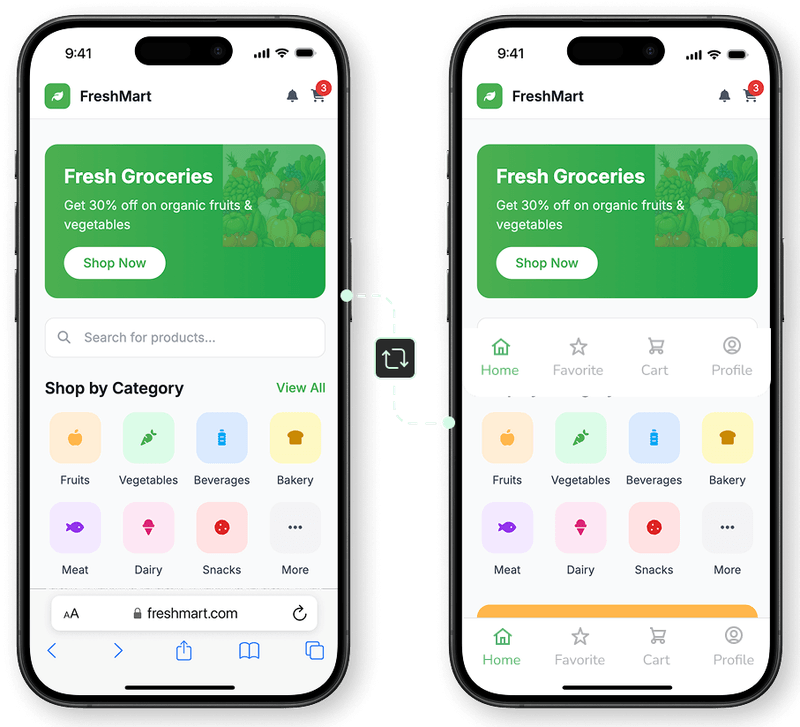
For brands with custom web experiences they want to translate into an app, MobiLoud is the best choice. Unlike other app builders, which take a drag-and-drop approach, MobiLoud directly converts your existing mobile website into a mobile app - reducing the effort and overhead that comes with your app, and ensuring your app and mobile website are always fully consistent with one another.
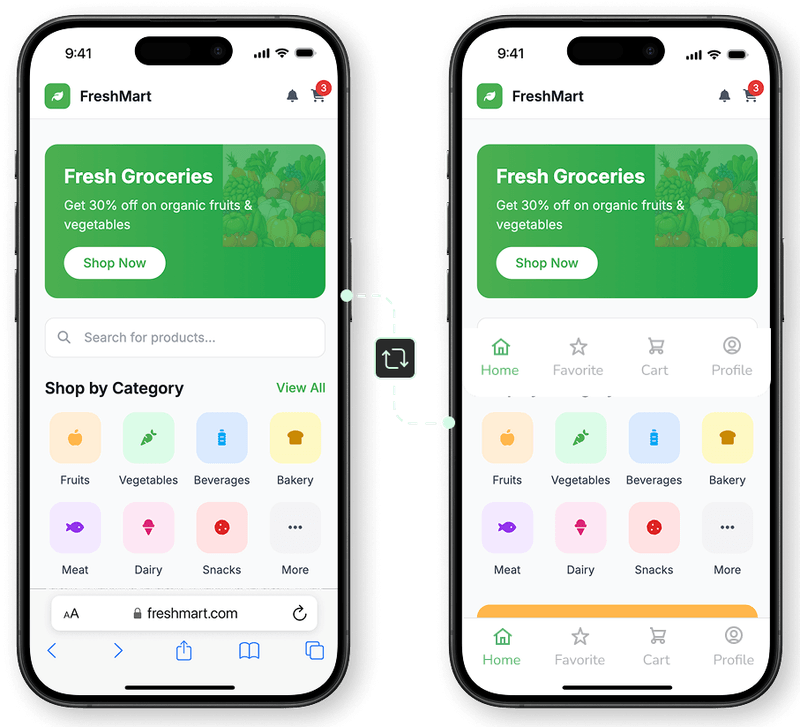
If you prefer a more customizable approach, there are a lot more tools (like Tapcart, Shopney etc) that let you tinker more with your app, and build a fully unique app experience, independent from your website. The tradeoff is just that this takes more effort - and there’s the risk of inconsistencies between your website and app.
Either way, the decision to launch an app is a winning one. How you build it is important too, but there are plenty of viable ways to move forward with this.
What to Expect After Launch
Launching the app is step one. Here's what the first 90 days typically look like.
Driving Installs
You’ll want to put a little effort into promoting your app, to ensure you get enough users to drive a meaningful ROI.
Here are a few things you can do to drive app installs after you launch:
- Smart banners on your mobile site. A banner prompting mobile visitors to download the app is the single highest-converting install driver for most stores.
- Email campaigns to your existing list. Your email subscribers are already engaged. A dedicated launch email (plus a mention in your regular flows) drives a strong initial install base.
- QR codes in packaging and physical locations. If you have retail locations, include QR codes in stores and on receipts. If you're online-only, add them to packaging inserts.
- Social media announcements. A launch post and occasional reminders on your channels.
The Engagement Flywheel
You don’t need an instant spike in downloads for it to be a success. Assuming you have the right audience for you, it will slowly drive more and more returns.
The typical pattern: installs grow steadily over the first 2-3 months. As your app user base grows, push notification campaigns start generating measurable revenue. App users begin showing up in your analytics as a distinct, high-value segment.
By month three, most stores have enough data to see the per-user revenue difference between app users and mobile web visitors. That data point usually settles any internal debate about whether the app was worth it.
Measuring Success
The metrics that matter:
- Revenue per app user vs mobile web visitor. This is the clearest ROI indicator. Most stores see 3-10x higher revenue per app user.
- Push notification CTR and revenue attribution. Track which campaigns drive purchases.
- App contribution to total revenue. Starts small (2-5%) and typically grows to 15-30% over the first year for stores that actively promote the app.
- Repeat purchase rate among app users vs non-app users. This tells you whether the app is genuinely driving retention or just capturing behavior that would have happened anyway.
The Bottom Line
A native mobile app isn't just a vanity project. For Shopify stores with a solid customer base and a focus on retention, it's one of the highest-ROI investments you can make.
The technology has caught up. You don't need a custom development team or a six-figure budget. You can go from "should we build an app?" to live in the App Store in about a month.
The question isn't whether mobile apps work for Shopify stores. The data on that is clear. The question is whether your store is at the stage where the investment makes sense, and whether you're ready to treat mobile as an owned channel rather than just a screen size.
If you're doing consistent revenue, have customers who come back, and care about lifetime value over one-time transactions, it's worth a serious look.